AI chat, with your files
Model picker, DeepThink, web search and attachments — with a free starter balance and every conversation saved.
Public beta · built for macOS
Your whole school life, one app.
AI chat, Turnitin-style checks, Cloud Drive, flashcards and a forum — one calm window instead of ten noisy tabs.
Mac-only beta Apple Silicon macOS 26 Tahoe
“Chlorophyll absorbs light energy and converts it into chemical energy during photosynthesis.”
Browser · AI chat · Turnitin · Cloud Drive · Forum · Calculator · Notes · Focus
01 — What's inside
The 0.3.5 beta brings a Cloud Drive, PDF Chat, flashcards and a forum into the same calm sidebar — next to the browser, AI and calculator you already use.
Model picker, DeepThink, web search and attachments — with a free starter balance and every conversation saved.
680 MB free, 32 GB with Pro. Folders, previews, a storage meter, and Save to Drive from any tool.
Full Wikipedia matching, so a copied passage scores the way it should — sources highlighted, line by line.
A floating helper that scans any app you're in, then summarises, translates, explains or cites it.
DMs, group chats and file sharing — plus subject forums with replies and real moderation.
The full scientific keypad, a graphing mode, zoom presets and auto-range. No second window, no phone.
Spaced repetition, a real calendar, a GPA calculator, assignments and a focus timer — one study loop.
Drop in a reading, ask questions, and get answers with the exact passage attached.
Ocean accent, free and Pro palettes, the theme marketplace, smooth motion and seasonal touches.
One switch turns UHH into UAH: monochrome, chat hidden, risky tools off — locked for an hour.
In the app
Real screenshots from 0.3.5 on a Mac — with a walkthrough of what each one actually does. Light and dark, English and 中文.
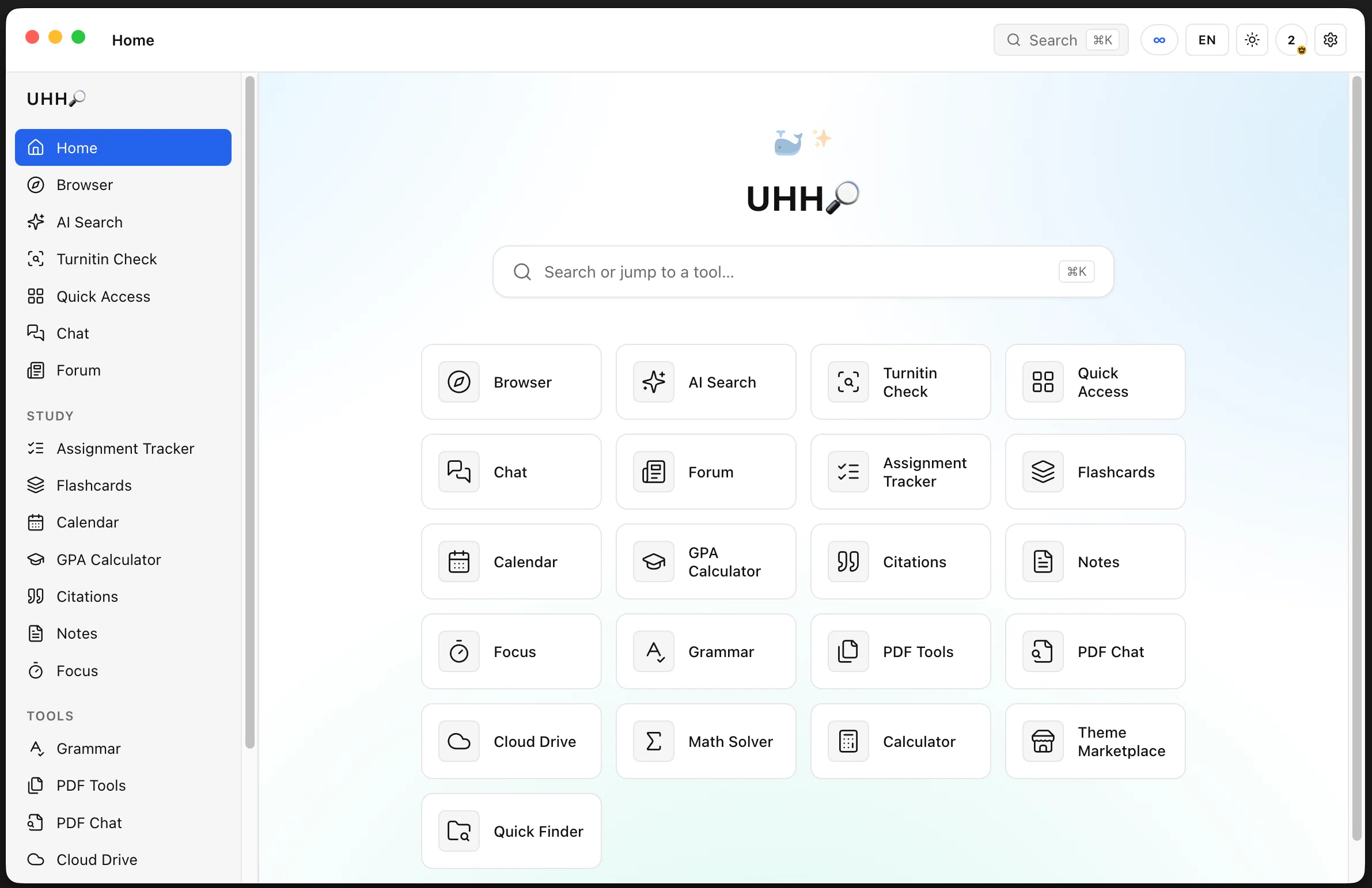
A searchable grid of every tool in the app, grouped by what you are actually doing. Type in the bar at the top to jump straight to anything, or press ⌘K.
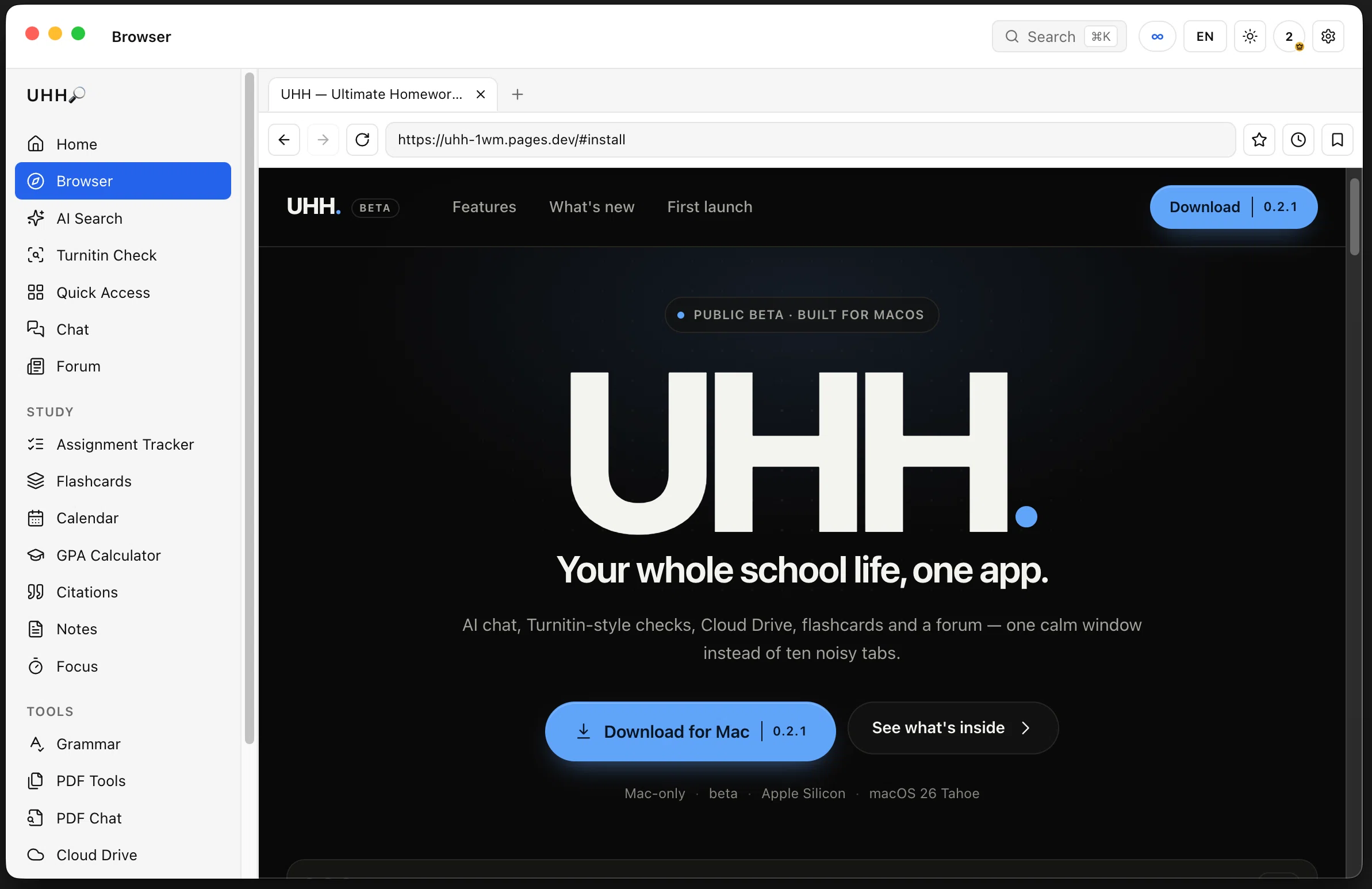
Tabs, an address bar, back and forward, reload, bookmarks and history — the same Chromium engine the rest of the app uses. Open the site you are reading and keep working without switching windows.
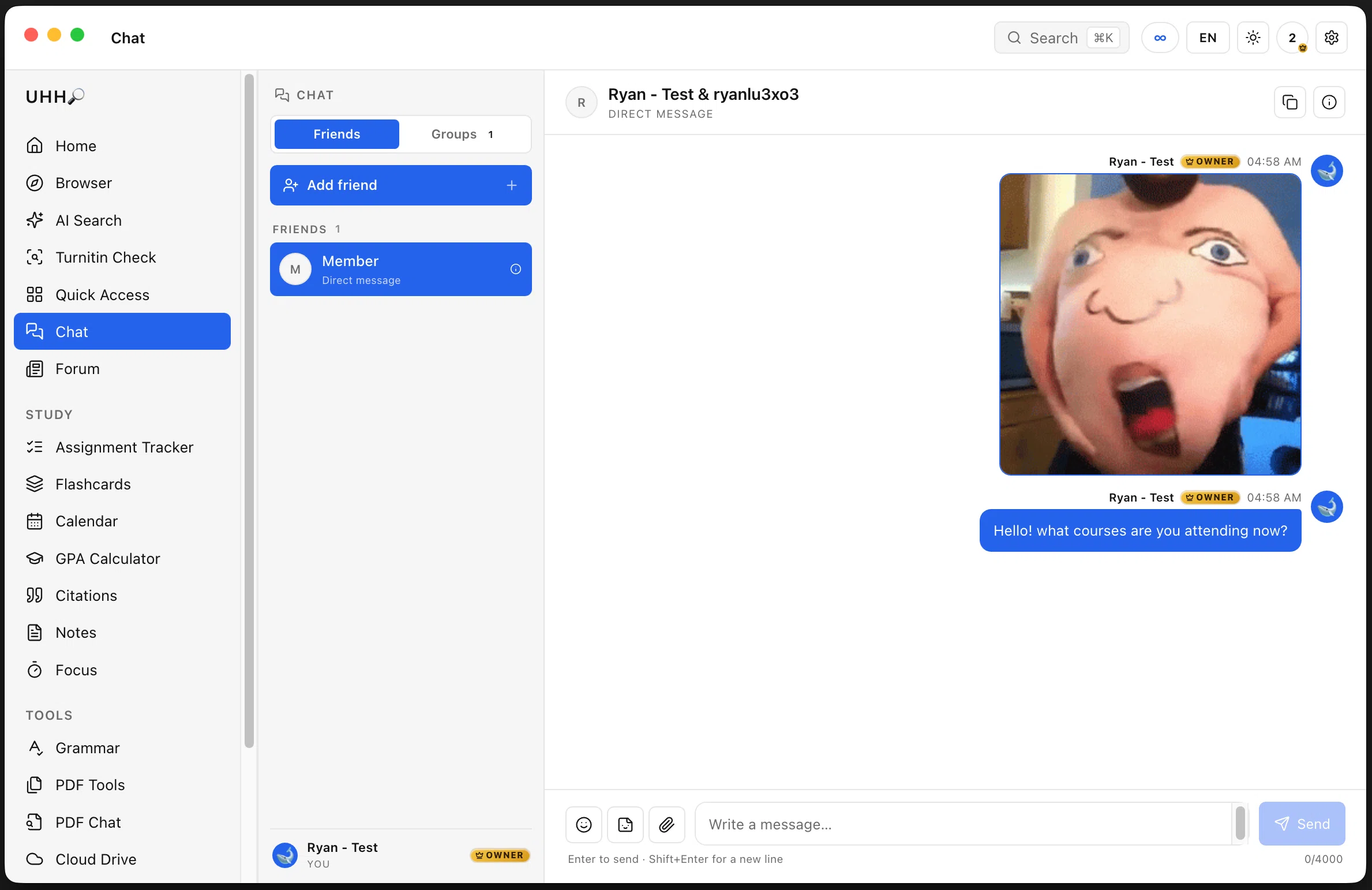
Direct messages and group chats with friends, with the OWNER badge showing who runs UHH. Send files, emoji, stickers and memes; messages arrive live.
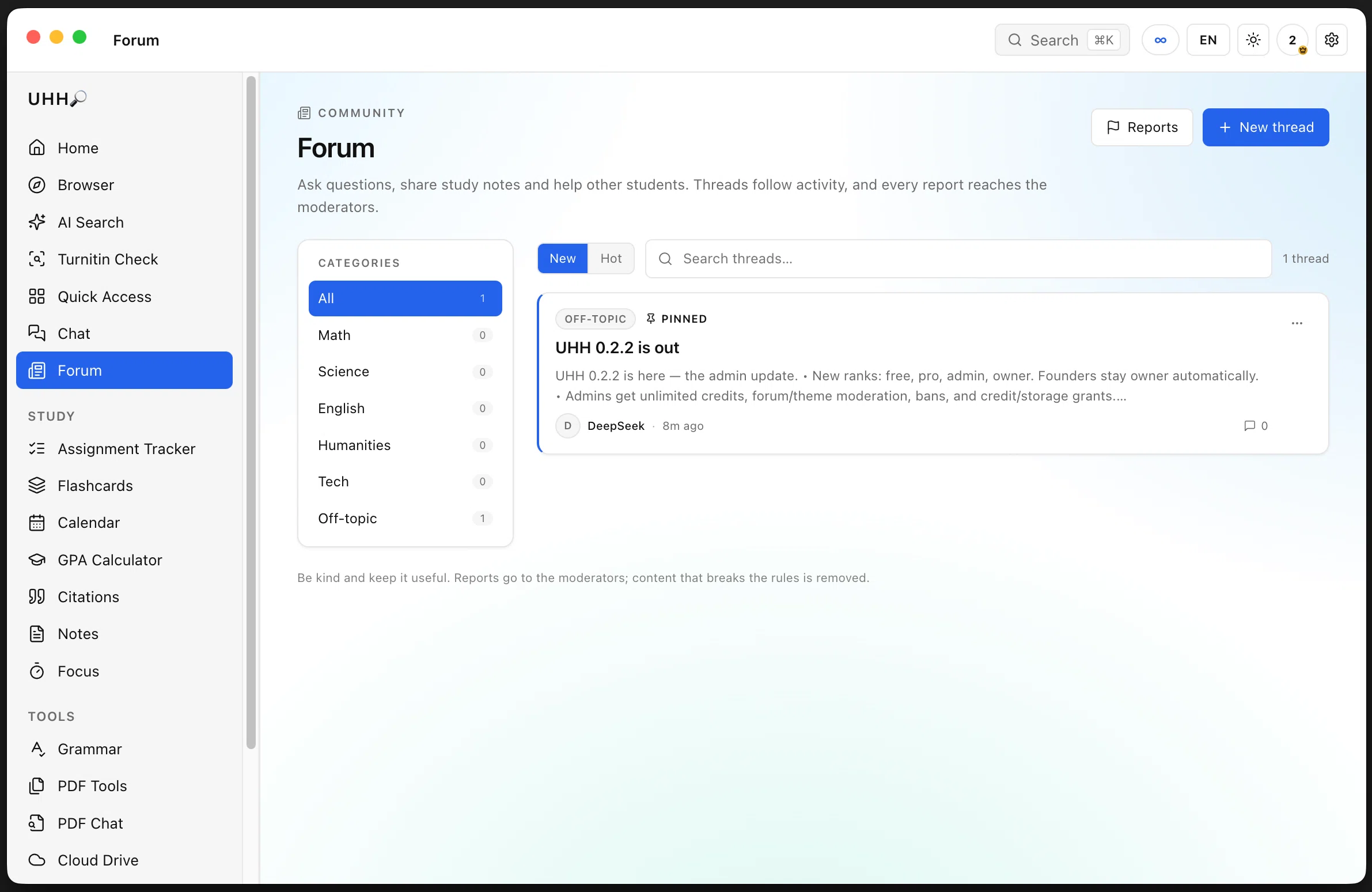
Threads are grouped by subject — Math, Science, English, Humanities, Tech, Off-topic and News. Pinned posts sit at the top, replies bump activity, and staff can pin, lock or remove anything.
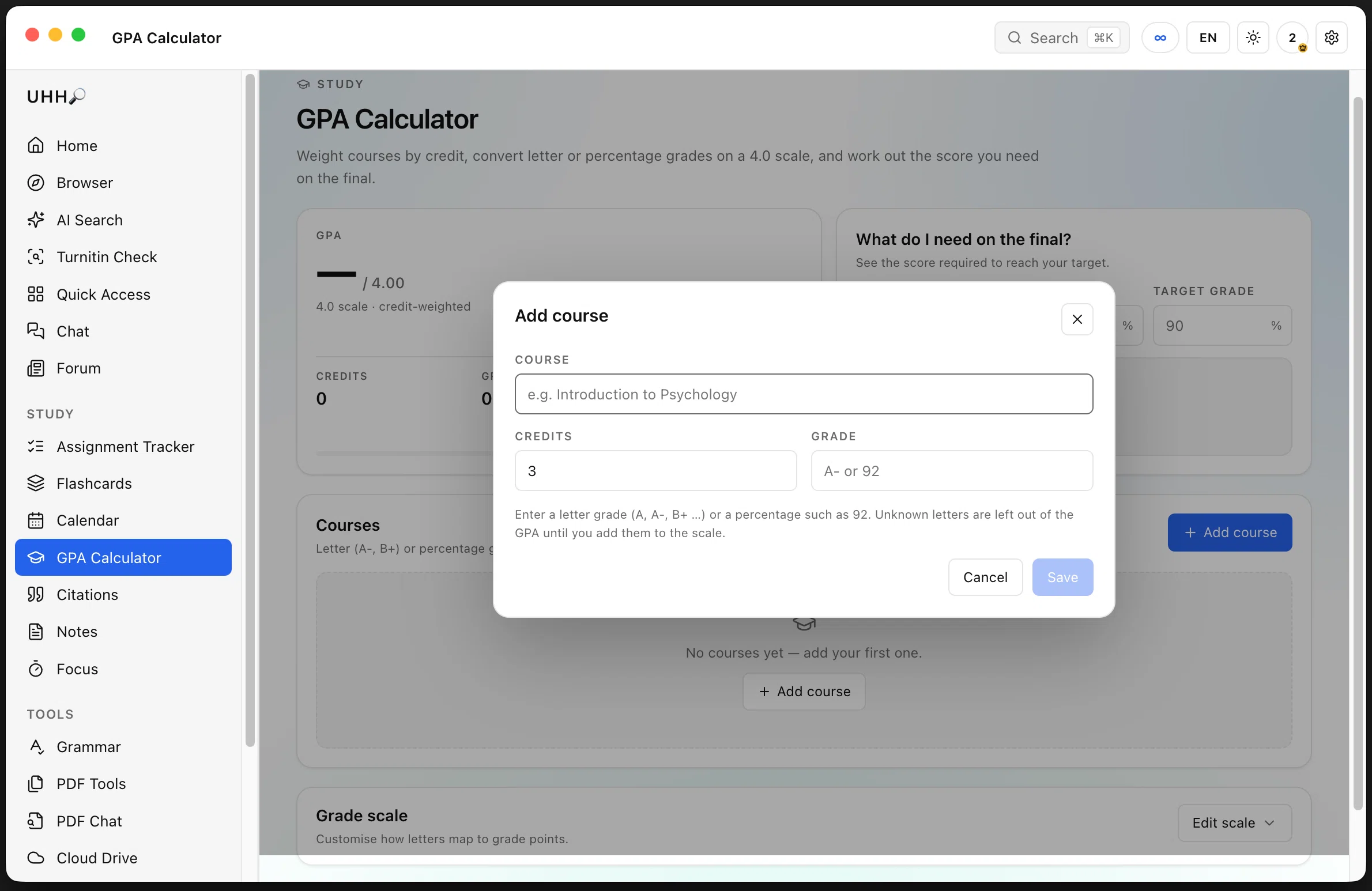
Add a course with its credits and grade (letter or percentage) and UHH computes a credit-weighted 4.0 GPA. The panel on the right answers the question everyone asks: what do I need on the final?
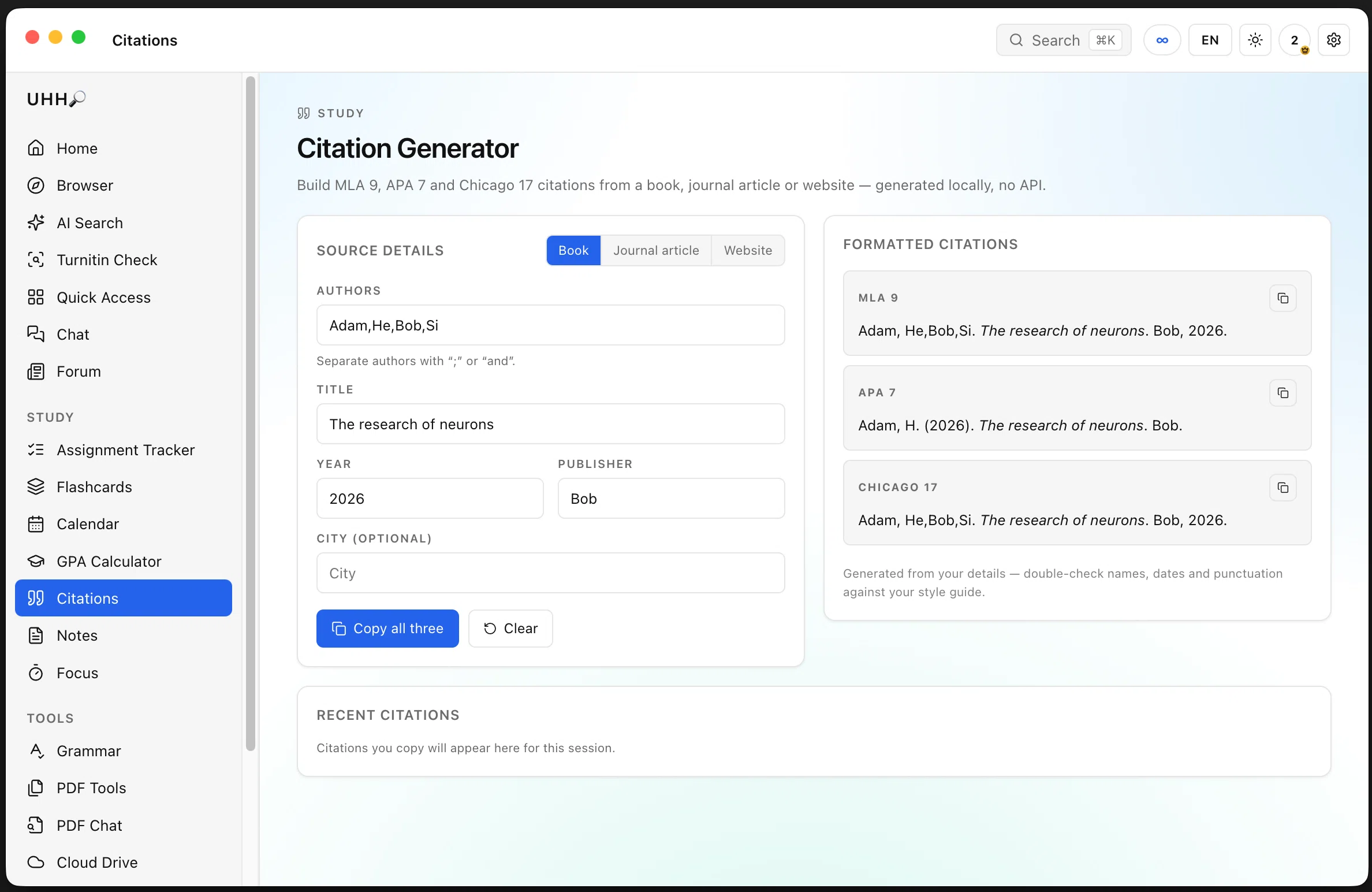
Enter the author, title, year and publisher and get MLA 9, APA 7 and Chicago 17 side by side, each with a copy button. Everything is generated locally — no account and no API call.
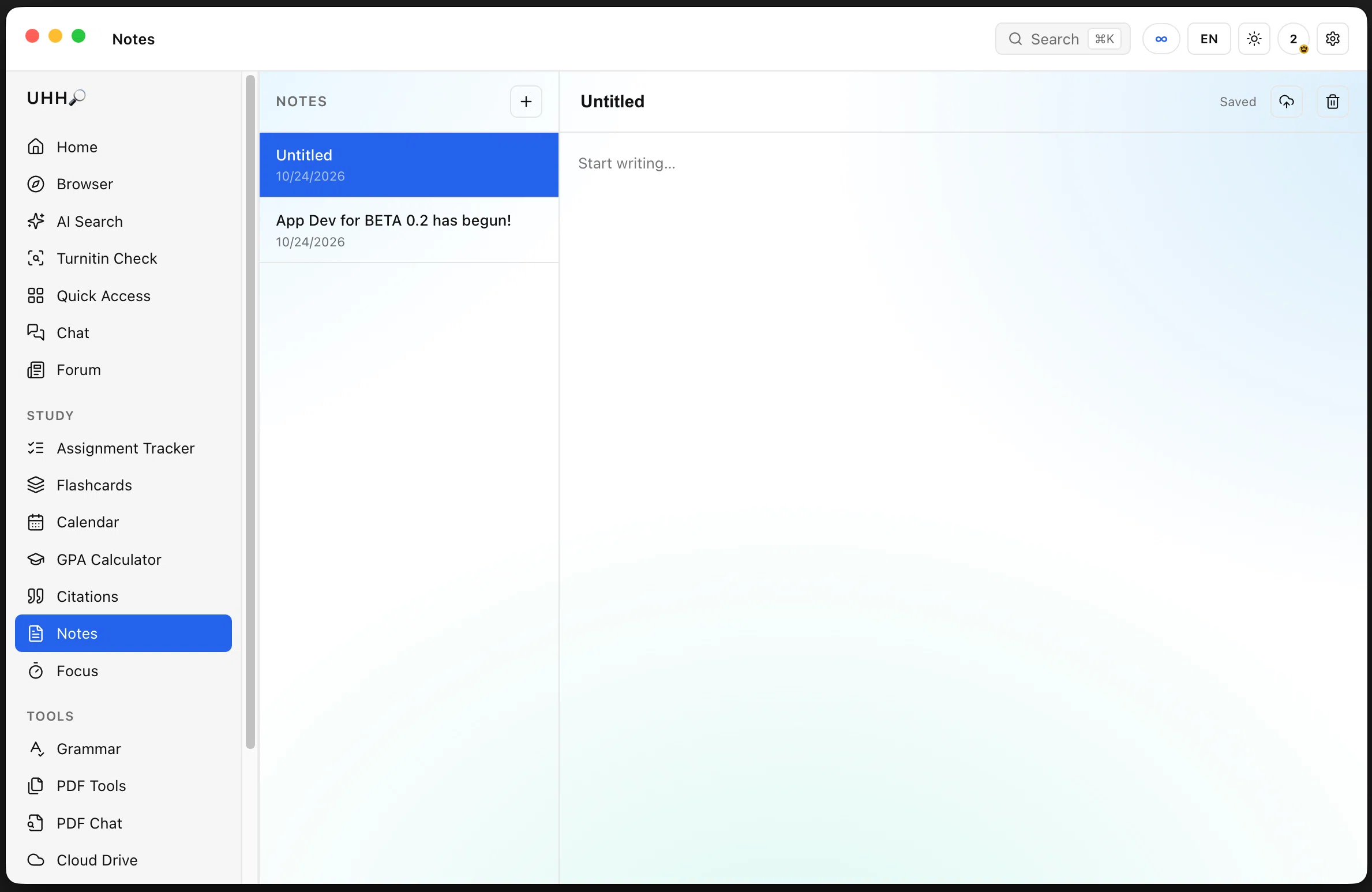
A simple notes list with an auto-saving editor — the header shows Saved as you type. Any note can be saved straight into Cloud Drive as a markdown file.
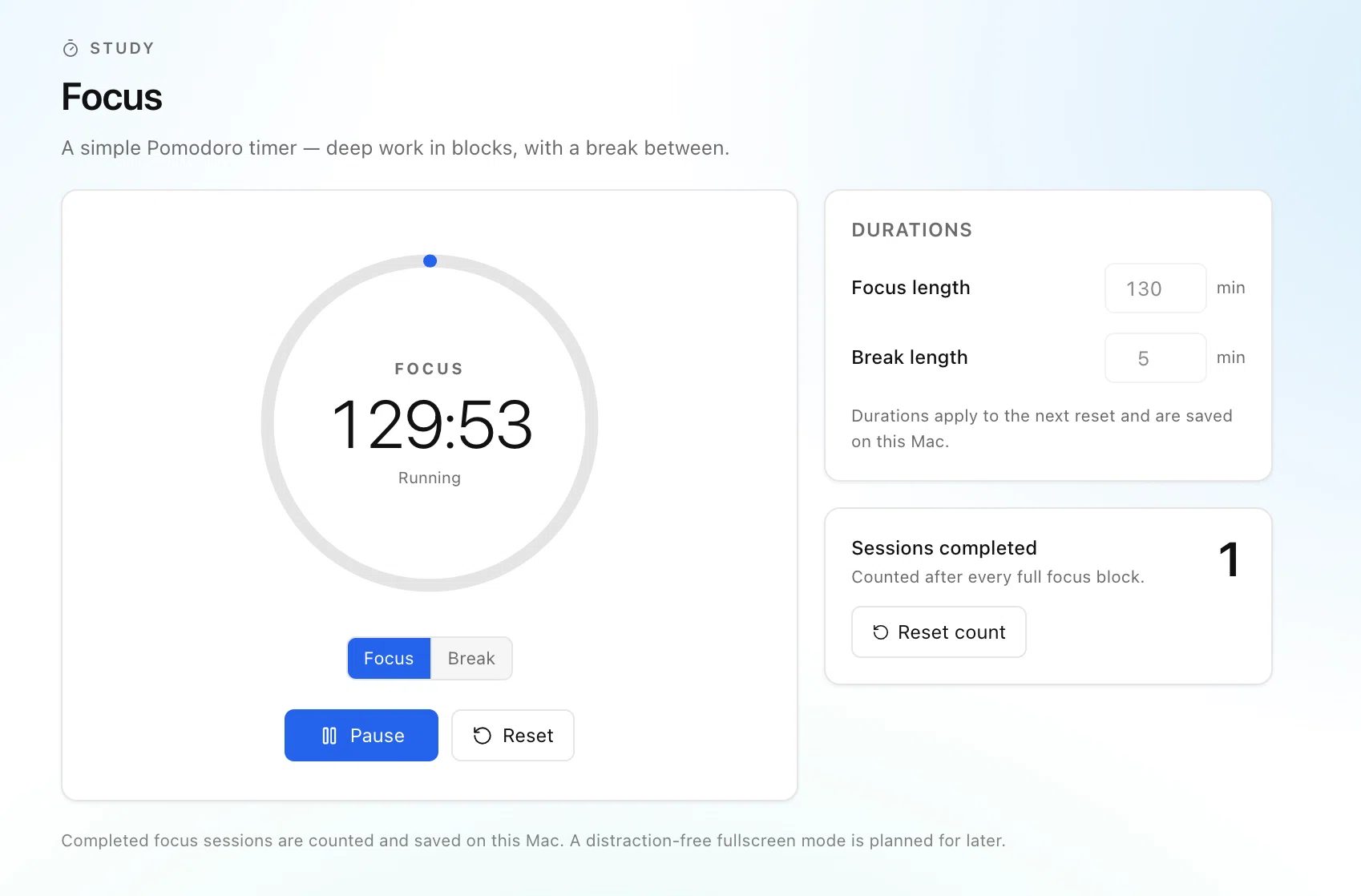
A Pomodoro timer with a big ring, configurable focus and break lengths, and a session counter so you can see the work add up. Sessions persist on this Mac.
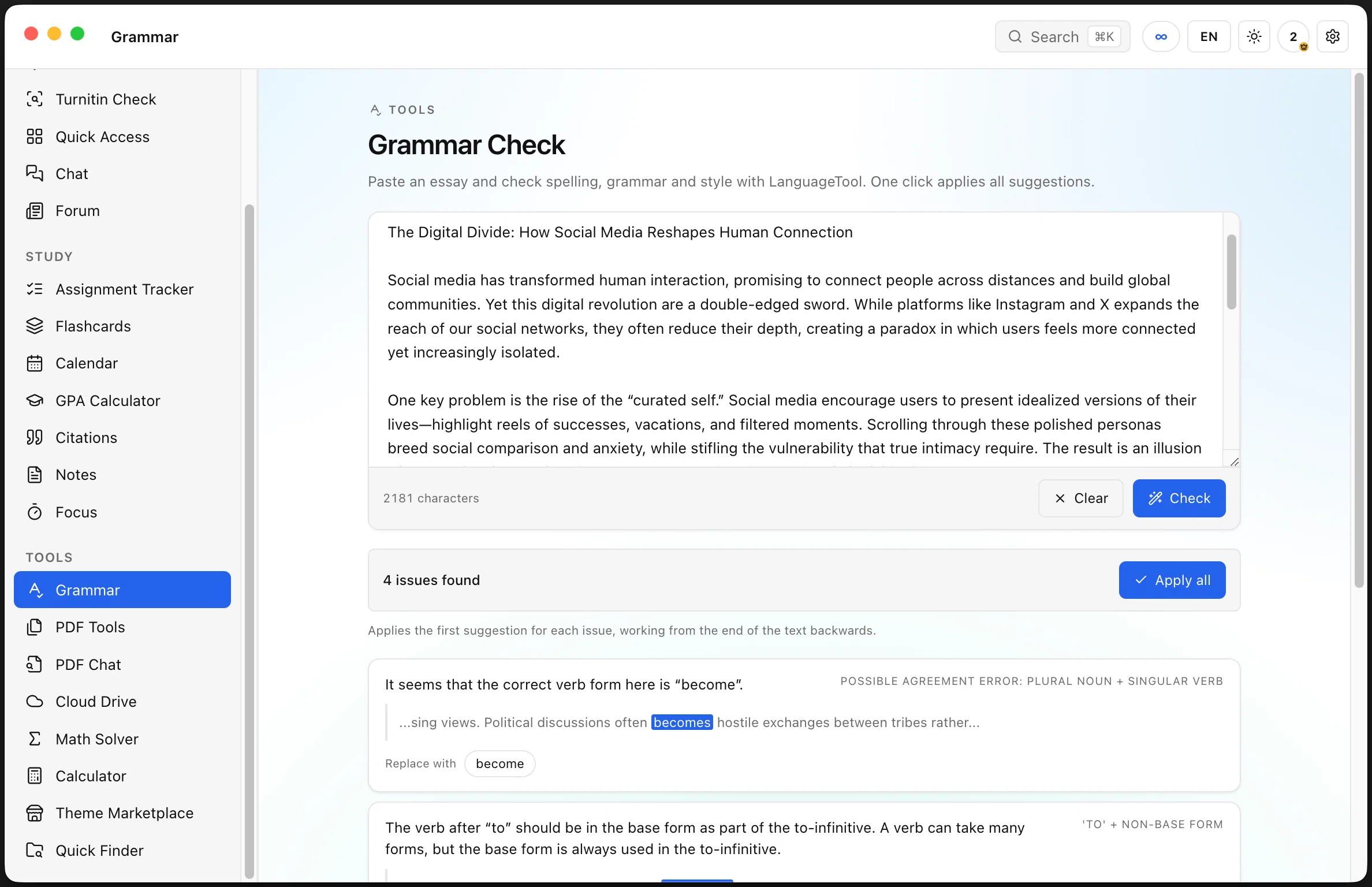
Paste an essay and LanguageTool returns spelling, grammar and style issues with an explanation and a replacement for each. Apply all fixes in one click, working backwards so offsets stay valid.
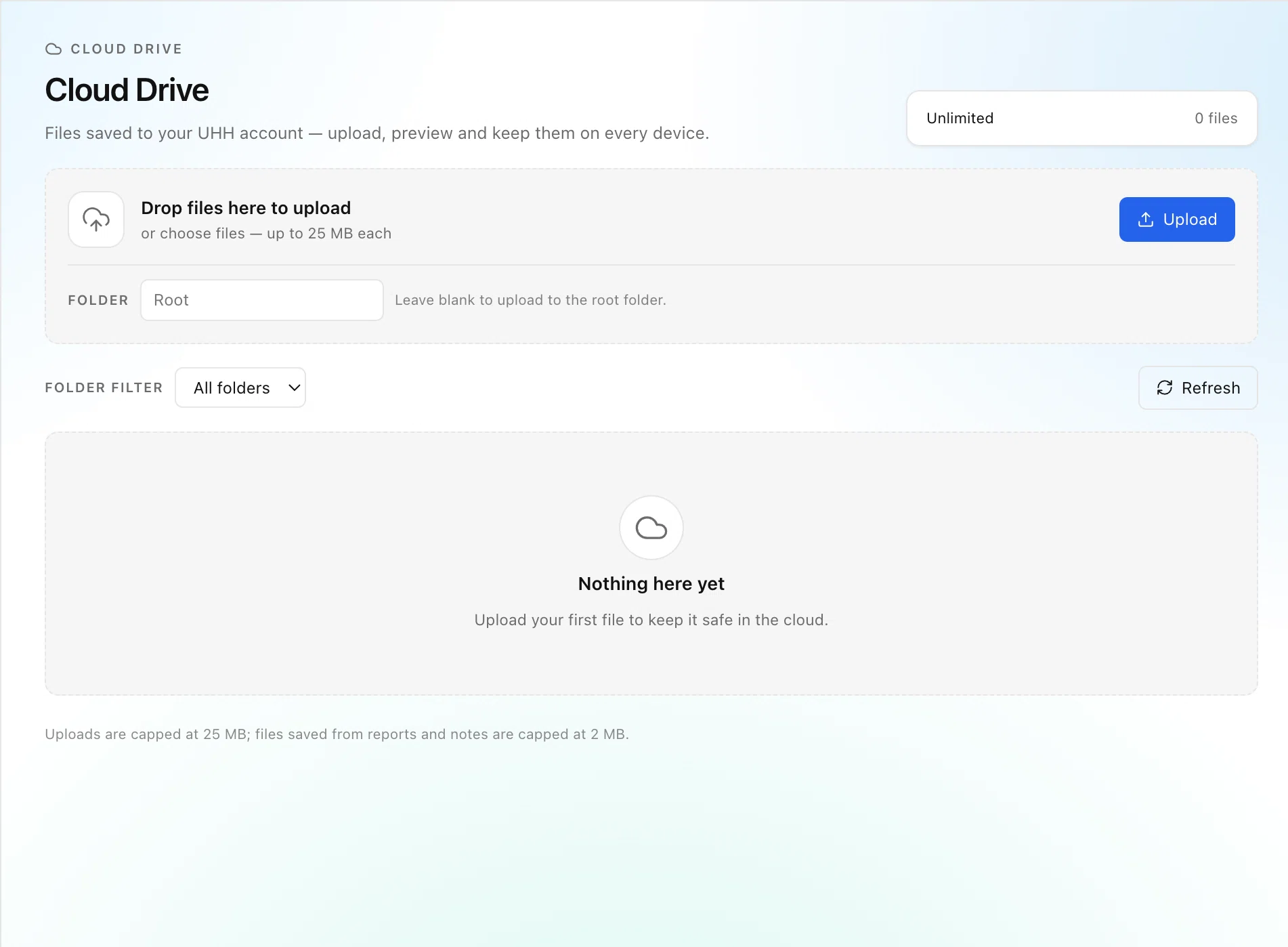
Drag files in or pick them, drop them into folders, preview images and text. The header shows your plan and file count — 680 MB on Free, 32 GB on Pro, unlimited for staff.
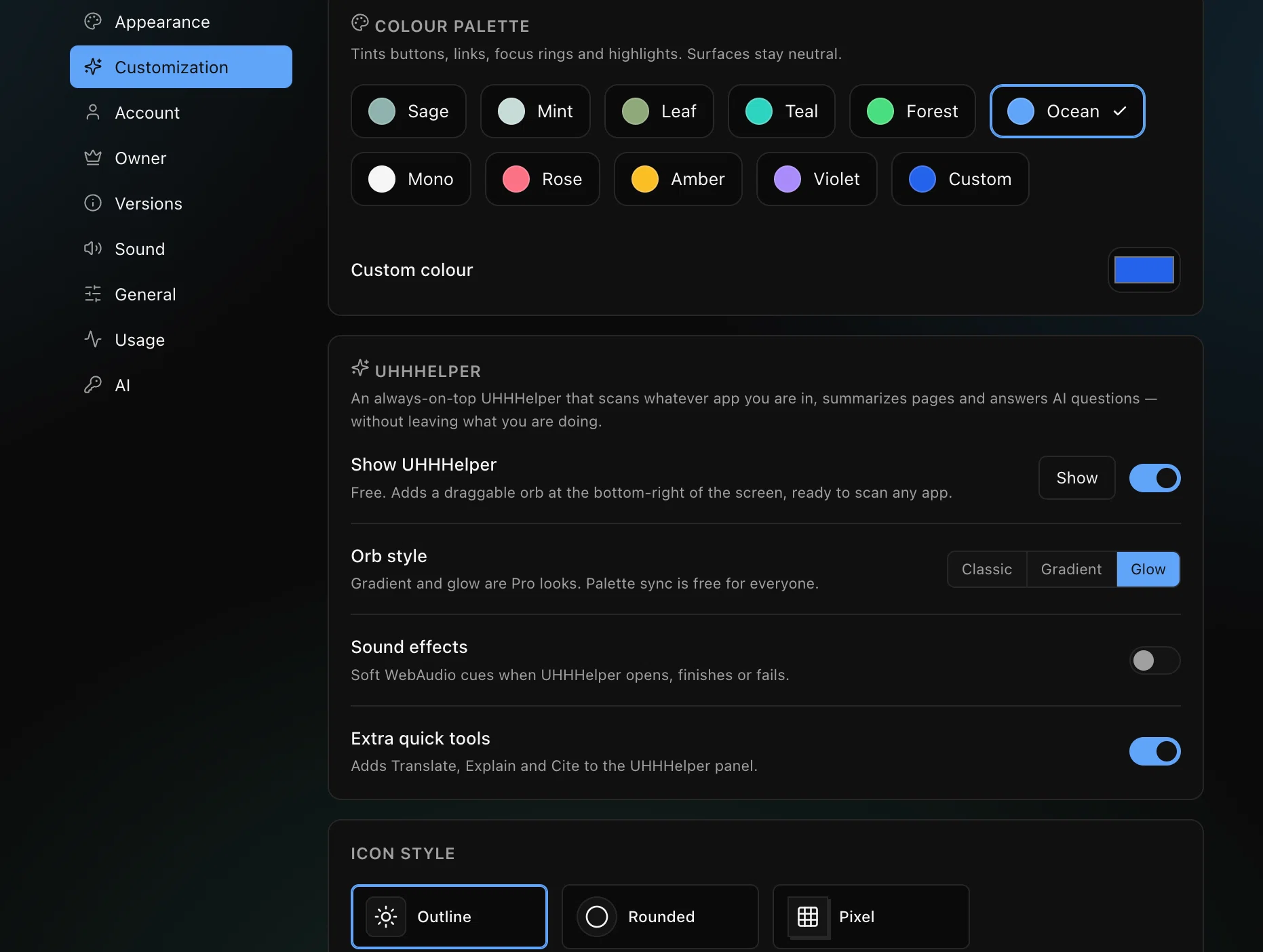
Pick a palette, switch themes and moods, change icon style and choose how UHHHelper looks. Everything applies instantly and is remembered on this Mac.
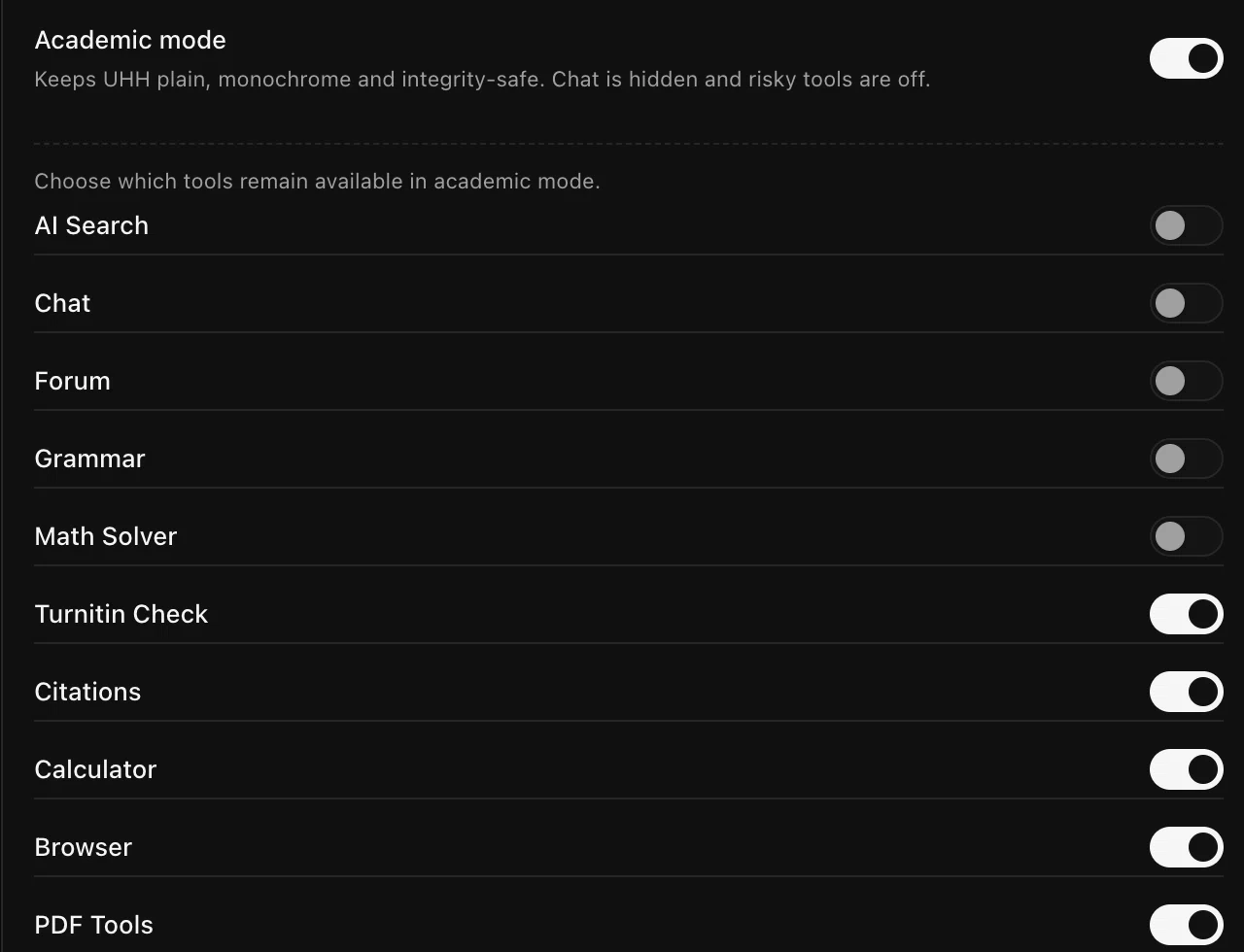
Academic Mode forces a plain monochrome interface, hides chat and other risky tools, and lets you decide what stays available. Starting it asks for confirmation, and ending early costs a 30-minute lock.
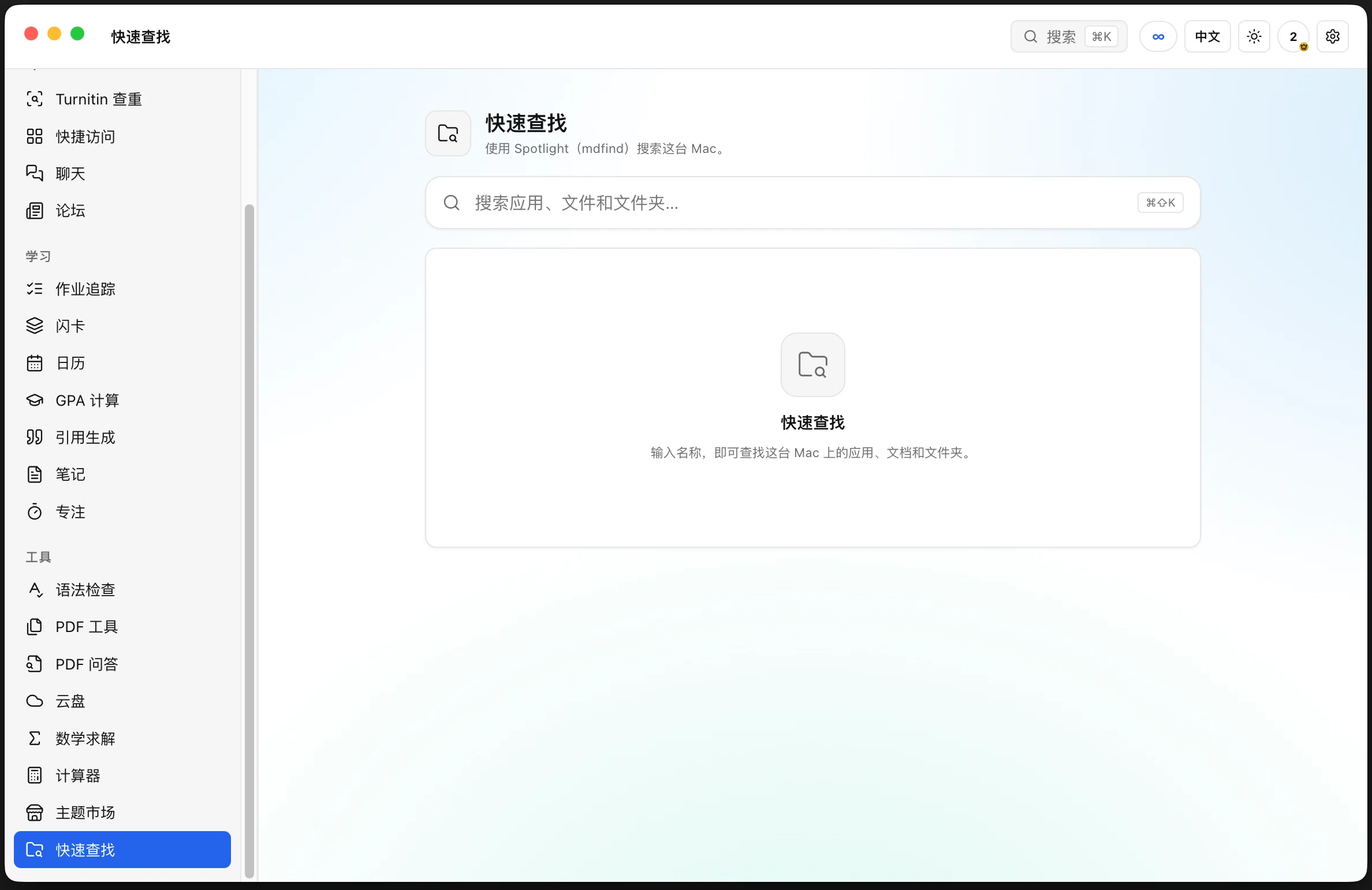
Flip the EN / 中文 switch in the top bar and the entire interface — sidebar, page titles, buttons and dialogs — switches to Chinese. Quick Finder searches apps, files and folders on your Mac through Spotlight, here shown fully localised.
Full-article matching against nine providers — Wikipedia (EN + 中文), OpenAlex, Crossref, Semantic Scholar, arXiv, Europe PMC and DOAJ — with sentence-level highlights and a similarity ring.
Drop a PDF and ask it questions. UHH chunks the document, retrieves the passages that matter and answers with page citations you can click to verify.
Browse themes built by other students, preview them on a live mock and install in one click. Publish your own; every submission is reviewed before it goes public.
Owners can grant ranks, ban accounts, add AI credits and storage. Admins get unlimited AI and community moderation. Both carry a badge everywhere they post.
DeepSeek reads the whole essay and returns a banded estimate with the signals behind it — sentence variation, vocabulary, connectives, paragraph rhythm — plus a confidence note.
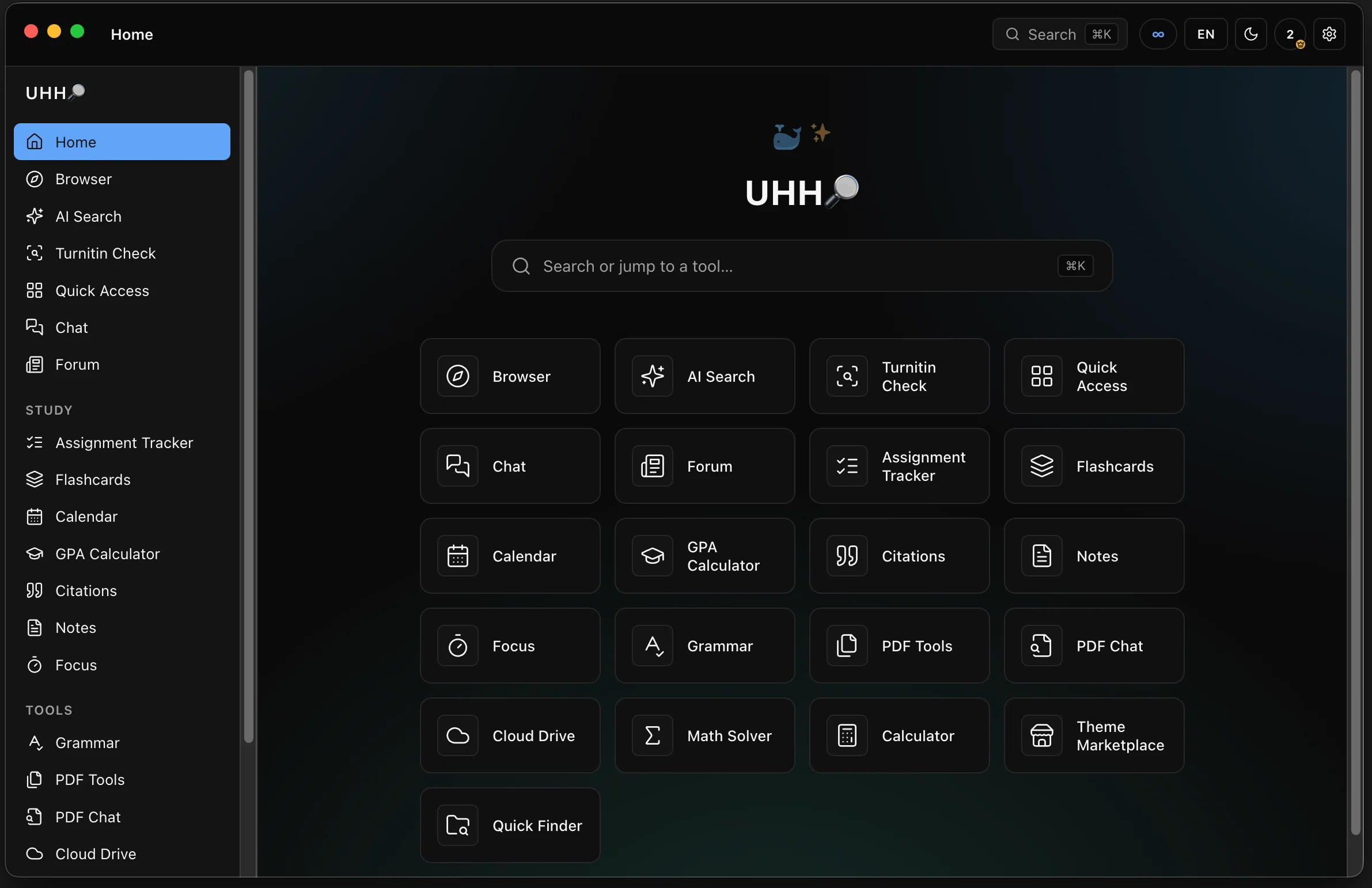
Every screen has a dark variant built from the same design tokens, so colours, contrast and shadows hold up at night. Toggle it from the sun icon in the top bar.
Gallery
A clean workspace, a real report, and a drive that keeps everything in one place.


Photos: Shixart1985 · CC BY 2.0
02 — What's new in 0.3.0
AI credit is now measured in ¥ with a cost preview before every action, the assistant remembers your courses and notes, the browser has a real homepage, and startup is ~6× lighter.
¥2 buys a million tokens. Every action shows its cost first — AI ≈ ¥0.002, grammar ≈ ¥0.003.
Your courses, recent notes and weak flashcards go into the prompt, with a Patient / Funny / Socratic / Strict tutor style.
New tabs open on a real start page: search, quick links, resume cards and bookmarks.
¥48/month or ¥480/year, ¥32 of AI credit included, 32 GB of storage, paid through AfDian.
Startup payload dropped 84% — heavy tools load only when you open them.
03 — First launch
UHH isn't notarized by Apple yet, so macOS may warn you the first time — or even call it malware. It's a false alarm. Here's the one-time fix.
because it is not from an identified developer.
Updates install themselves after this. No repeat visits, no terminal.
04 — Download
One download, one drag, one first-launch step. Then every tool is waiting in the same window.
Mac-only · beta · unsigned, so use the five steps above
Under the hood
What each part actually does — no marketing fog.
Pricing
AI is billed at DeepSeek's real rates — ¥2 per million input tokens, ¥8 per million output — plus 18%. Every action shows its cost before it runs.
¥0
¥48/month
¥480/year
Support UHH on AfDian Monthly and yearly plans, or buy an AI top-up.
Typical: AI message ≈ ¥0.01 · grammar check ≈ ¥0.01 · AI-writing estimate ≈ ¥0.01. Free tier includes a starter balance.
Contact us
UHH is one student, one inbox. Bugs, ideas, partnership questions — send them over.
05 — Feedback
Found a bug, want a feature, or just have an opinion? It goes straight to the developer's inbox.